bizhub Remote Access

posted in: Solutions | 0

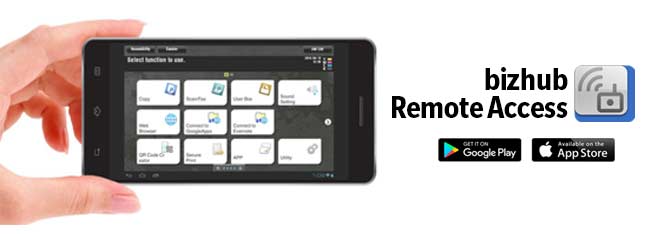
Konica Minolta bizhub Remote Access
All bizhub Operations From Mobile at Your Fingertips
* Please refer to “Supported bizhub models and required options” below.

  • For iPhone/iPad

Enables Remote MFP panel operations, data entry and importing of scanned data using an iPhone/iPad/iPod touch. In addition, it is possible to use the iPhone/iPad/iPod touch’s address book when sending data from the MFP.

Panel Link:

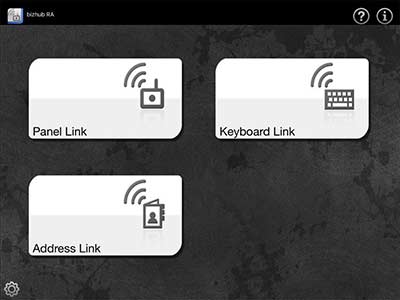
– Enables remote operation by displaying the MFP panel screen on the iPhone/iPad/iPod touch screen.

Panel Link Scan:

– Enables sending data scanned from the MFP to a connected iPhone/iPad/iPod touch and opening it in a different application using the Open-in function. PDF and Compact PDF can be selected as the scan file format. If the Compact PDF file format is selected, you can enable the OCR function.

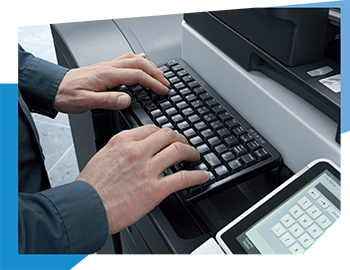
Keyboard Link*:

– Enables data input on the MFP panel screen from the iPhone/iPad/iPod touch.

Address Link*:

– It is possible to select the destination address from the iPhone/iPad/iPod touch’s address book to send images and documents scanned from the MFP.

* If there are more than 2 MFPs, please confirm the IP address of the MFP you are using in order to avoid erroneous data transmission.

→ Details

  • For Android

Enables Remote MFP panel operations, data entry and importing of scanned data using Android devices. In addition, it is possible to use the Android device address book when sending data from the MFP.

Panel Link:

– Enables remote operation by displaying the MFP panel screen on the Android screen.

Panel Link Scan:

– Enables saving image data scanned using the MFP to the connected Android device. It is possible to select PDF and Compact PDF as a save file format. For Compact PDF, it is possible to enable the OCR function.

Keyboard Link*:

– Enables data entry on the MFP panel screen from the Android device.

Address Link*:

– It is possible to send images scanned with the MFP using the Android device’s address book.

* If there are more than 2 MFPs, please confirm the IP address of the MFP you are using in order to avoid erroneous data transmission.

→ Details

  • CONVENIENT

For MFP administrators, settings for each bizhub can be made from distant locations. bizhub Remote Access is even very useful for maintenance and staff training.
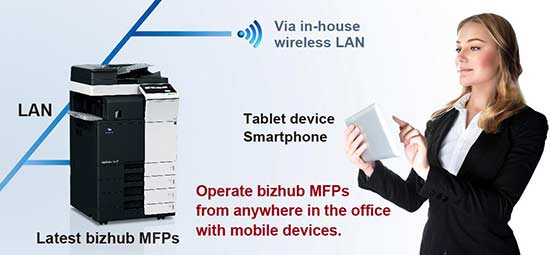
  • CONNECTION

bizhub Remote Access flexibly supports in-house wireless LAN environments, so the latest bizhub MFPs can be operated remotely from almost anywhere in the office.

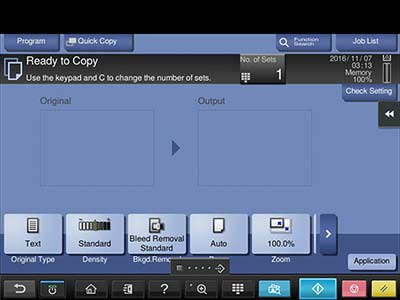
  • REMOTE CONTROL DISPLAYS

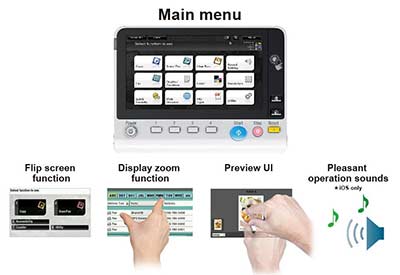
The remote control display shows the bizhub control panel on smartphone and tablet screens. In addition, viewing the Preview screen vertically with bizhub Remote Access allows you to zoom in on preview images for better visibility.
  • OPERATION

In addition to the bizhub LCD screen keys, hardware keys can also be operated from smartphones and tablets
  • SUPPORTED ENVIRONMENT

Watch Video :

Download at:

 

YSoft SafeQ Print Management

posted in: Downloads, Solutions | 0

YSoft SafeQ Print Management

Security and data protection are among the most important challenges for businesses and corporate environments. The biggest risk remains uncontrolled access to company equipment as well as sensitive and confidential information. YSoft SafeQ dramatically reduces this and other risks, as all print, copy and scan operations can be tracked and user access to output devices centrally controlled and restricted.

Download Ysoft SafeQ Brochure

KEY FEATURES
Print security
– Administrator-controlled user access: The administrator allocates and manages user access rights to ensure that only registered users have access to the multifunctional devices.
– Secure print-job release: Different authentication options for print-job release allow printing and scanning only after the user has identified himself directly at the output device.
– Follow-me printing: Registered users can release their print jobs on demand at any networked device and do not need to specify a certain output device in advance.

Device access control
Supported authentication methods:
– Authentication by ID card: Rather than having to type in login details every time, users can conveniently log on via ID card and connected card reader (option).
– Authentication via PIN: Registered users receive their own, unique PIN to log on to the printing network.
– Authentication via username and password: With this method, users have to authenticate at the device with their own username and password, which are verified against the Active Directory

Document security
– Secure access to personal documents: Users access their print jobs by authenticating at their chosen output device via username and password, PIN, or ID card. Only after authentication can print jobs be produced, ensuring that no prints are left unattended in output trays from where they might fall into the wrong hands. The physical security is thus maximised.
– Document encryption: Via the YSoft SafeQ client, the entire document transmission can be encrypted to prevent data theft
– from the client’s workstation to the YSoft SafeQ server, and from the YSoft SafeQ server to the output device.

Download Ysoft SafeQ Brochure

AccurioPress C3080/C3070

AccurioPress C3080/C3070
Enhanced Reliability Empowered Productivity

Download AccurioPress C3080-C3070 Brochure

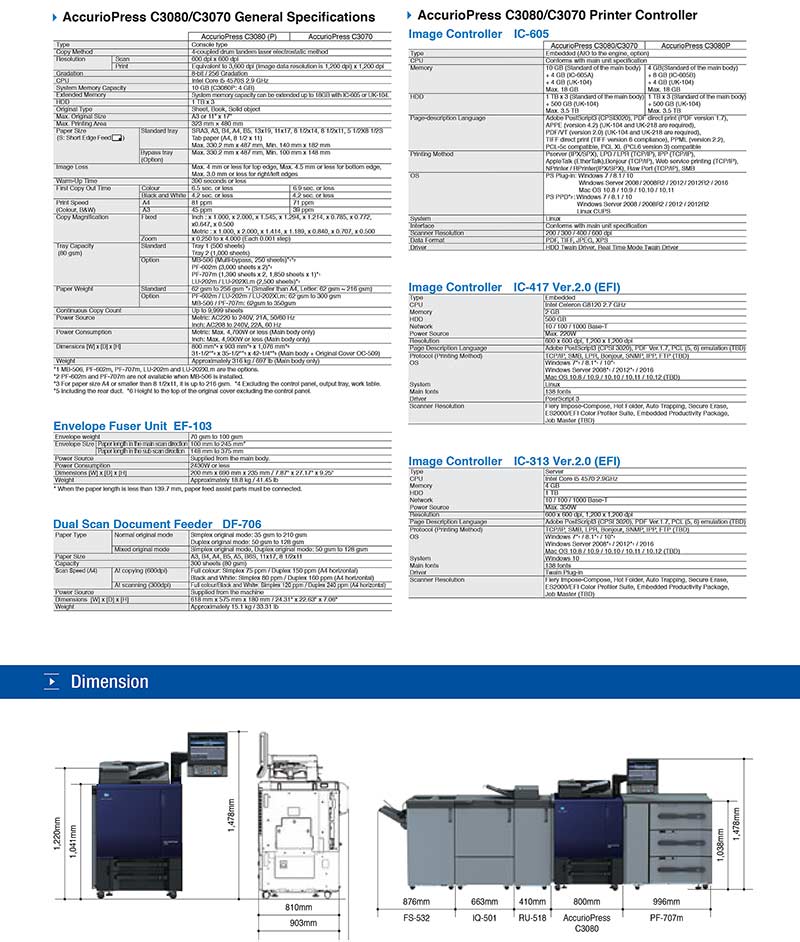
The AccurioPress C3080 series is designed to deliver all your printing expectation. With improved machine technology, offering higher quality print materials with greater reliability and stability.
– Automation
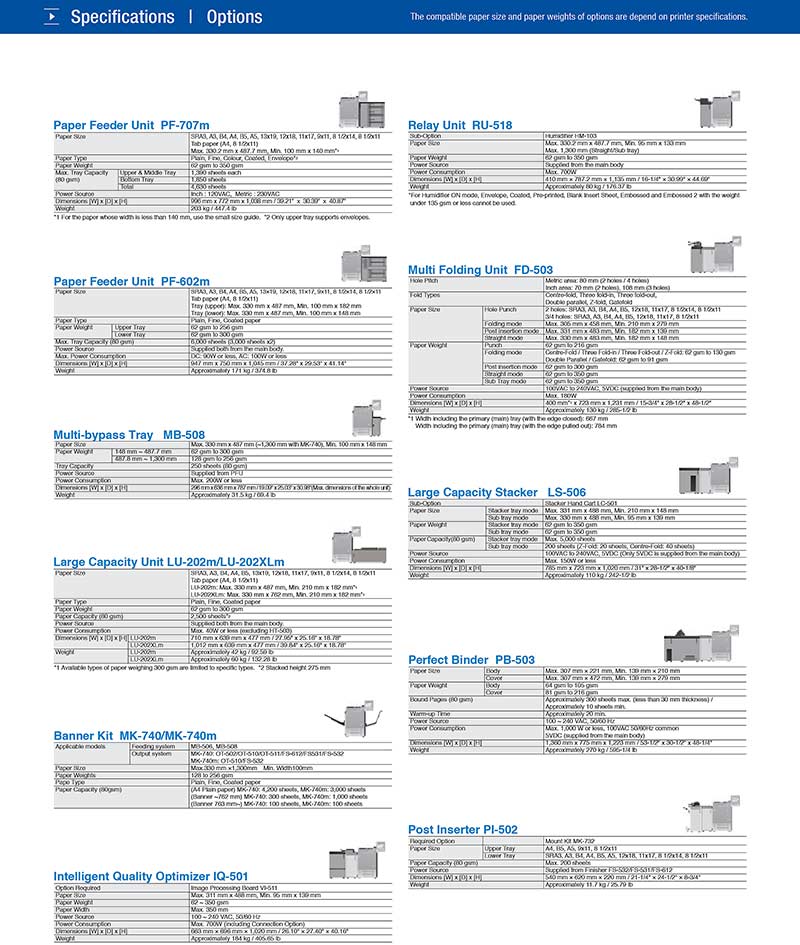
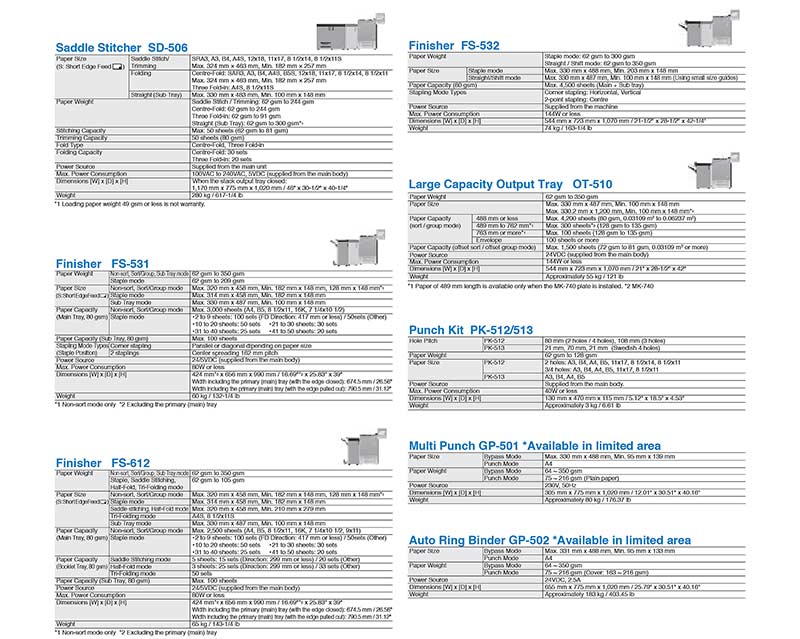
The Intelligent Quality Optimiser [IQ-501] enables automated colour management and front-to-back registration adjustment. High quality is maintained thanks to real-time monitoring and adjustments during printing, contributing not only to cost reduction with less waste but also to improve customer satisfaction.
– Superior Image Quality
The Simitri HDE Toner ensures a high level of compatibility with various types of media and enables realisation of ideal natural textures. In addition, it requires only a small amount of heat for fusing, significantly reducing power consumption.
– Flexibility
AccurioPress flexibly supports various print jobs including 350gsm thick paper and maximum 1,300mm banner printing as well as auto duplex banner printing and low cost, stable envelope printing. The enhanced capability to handle a variety of print jobs contributes to expansion of new services and business opportunities.
– Usability
Konica Minolta Image Controller [IC-605] featuring high affinity with the advanced job & colour management. Konica Minolta’s exclusive internal image controller delivers a powerful, affordable colour management solution that supports Konica Minolta Solution Platform Open API and IWS-related applications. The new web-based job management interface lets the user manage their jobs in any web browser without the need to install proprietary software.
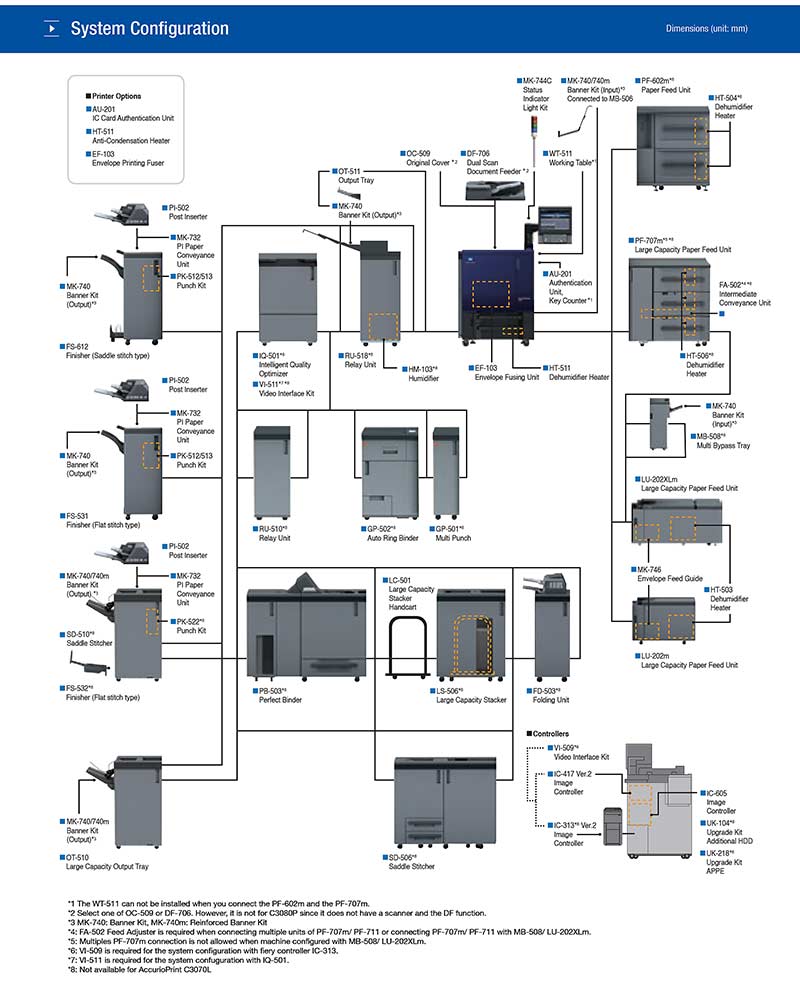
– Inline Finishing
A diverse inline finisher lineup for added value. Accomplish more with a range of inline finishing options that efficiently meet the needs of diverse output formats and differentiate companies form the competition.

Download AccurioPress C3080-C3070 Brochure

1 6 7 8 9 10 11 12 27